The Underappreciation and Rebirth of Warp
Three weeks ago I was scrolling twitter at a café near Liverpool Street, half-watching the espresso machine cough, half-watching Warp get an absolute kicking in my timeline. Dragged-by-its-laces, ridicule-tier stuff: closed source, sign-in friction, "just another wrapped LLM with a terminal stuck on the front". A handful of well-followed accounts piling on, a few hundred retweets each. I started writing a thread defending it, got about four tweets deep, deleted the lot, opened my laptop and figured I'd just write the piece properly.
Because here's the messy truth: I've been on and off with Warp since the early beta, and every single time I've tried to leave for a "better" terminal (and we're talking five separate attempts spread across about three years, in case that sounds like rhetorical inflation), I've ended up reinstalling Warp before the month is out. Without exception.
A terminal in roughly five chapters, none of them clean
Let me give you the receipts, because the cycling actually matters.
iTerm2 was the dominant dog from before I had a working memory of personal computing, certainly through the whole of the 2010s. Then the back end of the decade saw an actual explosion of fresh blood: Kitty for the Rust faithful, Alacritty for the speed obsessives, WezTerm for people who genuinely enjoy a Lua config file, and most recently Ghostty, which seems to be the darling of every dotfiles repo currently being pushed to GitHub. Then there's cmux, which is half decent, properly buggy, pitching itself on the versatility of tmux for the agentic era. Recommended only if you fancy patching upstream.
I tried Alacritty in October 2022 and it lasted me roughly six days before it broke my zsh prompt because of a font fallback that worked in iTerm and silently didn't work there, and I lost two hours on a Pendolino to Manchester trying to repair the rendering before giving up and reinstalling Warp from the train WiFi. Tried Ghostty seriously about eight months ago, lasted longer (the simplicity is genuinely lovely, fair play), but came back. Tried cmux because I wanted to like the agentic angle, and I did sort of, except the bugs got in the way.
There was also a period after the Warp beta where they made it mandatory to sign up to use the terminal. Sign up for a terminal, of all things, in a profession where the entire culture is built around suspicion of anything that needs an account to start a process. That was, charitably, an absolute garbage move on their part. Off I went, back to iTerm and Kitty and the dotfiles wars. Then one quiet morning I clocked that they'd quietly removed the mandatory sign-in, so back I drifted, and I've been there since.
So what's the gravitational pull? What pulls me back when every other tool in this space is technically better at some specific axis?
The bit nobody else has cracked
The honest answer is blocks. Warp organises every command and its output into a discrete addressable unit it calls a block, and once you've lived with that idea for a fortnight you can't un-see how undifferentiated everyone else's terminal buffer feels.
Here's a real one, just a git status output I shared as a hosted page last week:
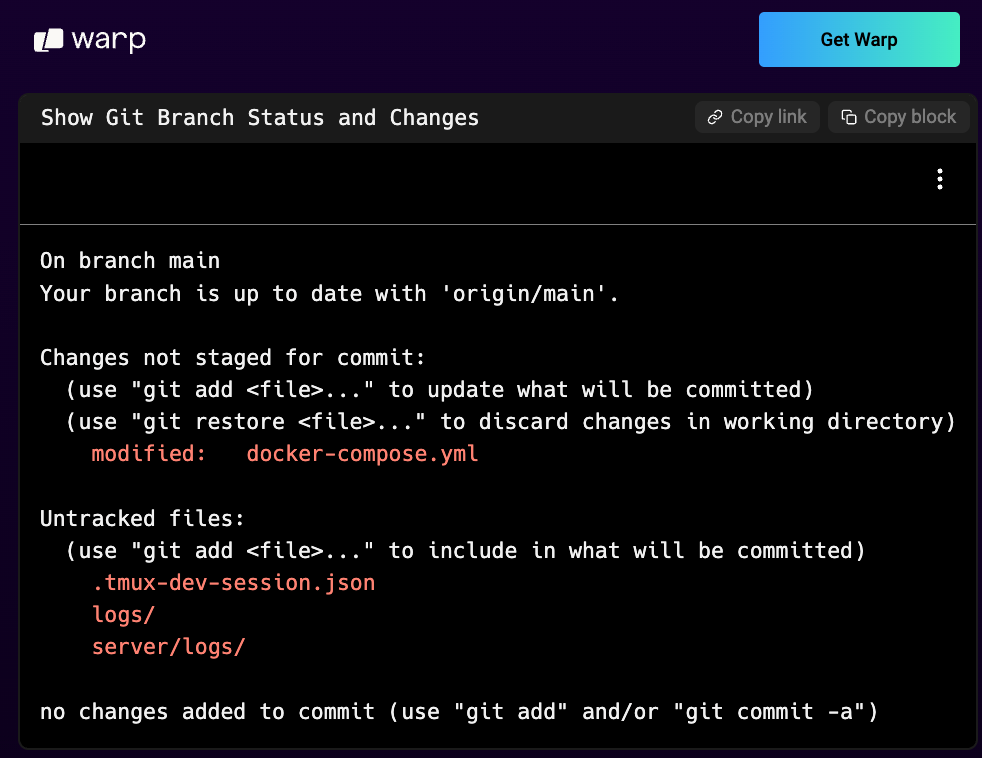
That link lives at app.warp.dev/block/PvSacGW2Qd0TvI4wgUGJ1K, and you can open it now without any local setup. It's a trivial git status in this case but it could be anything: a Python script grinding through a dataset and printing its progress, a long kubectl describe for a knackered pod that you want a colleague three time zones away to glance at, a terraform plan you want a second pair of eyes on before you actually apply it, or a failing test run you want to paste into a Jira ticket without losing the colour codes. One block, one URL, no screenshotting in five places.
The local version is the bit that's changed how I work day to day. The same block is addressable inside your machine too, which means you can pipe an entire block straight into your Claude Code or Codex session as context without doing the usual copy-paste-and-pray-the-line-wraps-don't-confuse-it ritual. The agent sees what you saw, with everything around it intact in one passable object, so you stop being the lossy compressor sat between your terminal and your AI and the conversation actually keeps its shape. I'll give you the small lived example that turned me on this: I was hunting an iOS WebKit crash on the shotclubhouse beta in February, the kind where the stack trace is half-rendered ANSI colour and the relevant section is buried sixty lines down, and instead of trying to copy the right bit out of an iTerm scrollback I just clicked the block, shared the URL into a Claude Code session sat in another tab, and the agent had the whole error surface inside its first prompt with no fiddly clipboard work in between. Saved me maybe ten minutes that particular morning, and it keeps saving me ten minutes most mornings since.
| Geek Corner |
|---|
What is a block, really? Most terminals treat their buffer as one giant undifferentiated character stream. Your ls output, your npm test output, the prompt before it, the error after, all of it just one big text river you scroll through and grep through and curse at. Warp parses where each command starts and ends, then wraps the whole command-plus-output pair in a named addressable object you can manipulate independently. Once that primitive exists, everything downstream becomes natural: search inside one output, share a URL to one specific run, jump back five blocks with a keystroke, pipe a block as context into an agent. The whole idea sounds trivial until you realise nobody else has actually committed to it as the primitive. |
Why I can't operate a terminal any other way
Configure a global hotkey for visor mode. The § key, sat right below escape on a Mac keyboard, is the perfect pick because it's otherwise useless and reachable without thinking. Mine is wired so a single tap pops the terminal in and out of frame, and Cmd plus § brings up clipboard history in Raycast.
I've been using this exact muscle memory in iTerm since the early 2010s, and I'm so attached to it that I genuinely can't operate a terminal any other way. Have you ever tried to switch a piece of finger-level muscle memory after a decade? Anything that asks me to alt-tab to a separate terminal window, or worse, to click on a dock icon, is dead to me before it's even begun. Warp picks the same pattern up natively, no extra plugin, no shell scripting, no fiddle whatsoever. It's one of those things you only really appreciate by losing it, which is exactly what happens every time I temporarily switch terminals and spend the first morning being annoyed about absolutely nothing else.
Settings I'll mention quickly because it relates: one of the things people legitimately love about Ghostty is that all settings are just config, edit the file, reload, very clean. Brilliant in theory, mind you. In practice it's a bit of a faff, especially when you can't remember whether the key is font-size or font_size or font.size, and you end up with three editor tabs open trying to bisect a typo. Warp gives you both: there's a settings.toml you can edit by hand and version-control across machines, plus a Cmd plus comma settings panel that's one keystroke away when you can't be bothered to dig. Very similar to how VS Code ends up working in practice. After the initial setup you almost never touch the json, although it's there if you need it. The panel handles the day-to-day.
The unreasonable kitchen drawer
Every dev I know has a dumpyard. A mental scratchpad of commands, snippets, half-finished prompts, that one curl invocation you wrote at three in the morning during an incident and now can't remember the syntax of. Less so these days, granted, because the agents handle a lot of that ad-hoc work, but the dumpyard doesn't disappear, it just changes shape.
Warp Drive is the most useful version of a dumpyard I've used inside a terminal. Notebooks for cheatsheets. Workflows for the slightly more sophisticated bits. And the bit that turned me on this one in particular: you can author a markdown document that embeds runnable commands, and the little play arrow next to each command actually executes it in your terminal. Got a variable in there like ${PROJECT_ID}? No worries, Warp interpolates from your environment automatically. Wire it up with Bitwarden and you've got an absolute machine of a terminal that runs authenticated workflows without you ever copying a secret into your clipboard.
I should be honest here. I dismissed Warp Drive the first time I saw it. Thought it was bloat, thought it was a feature designed to flatter the marketing team. It took me about six months of using my Apple Notes app as my actual command dumpyard, copying things across in a hotel WiFi in Lisbon during a debugging session, before I realised I'd been using a worse version of Warp Drive all along. Show me your scars, they say. That's one of mine.
What it's best at is being a pre-inbox. My main knowledge management is still Obsidian, inbox folder feeding into a Zettelkasten for things that actually deserve to stick. Warp Drive sits beautifully one step before that, the layer where stuff lives while you decide whether it's keeper or rubbish. And because the agentic side of Warp lives inside Warp Drive too (prompts and MCP servers and rules and skills, the whole bag, plus if you're still wiring MCPs by hand please go read why mcporter eats this for breakfast), everything agentic lives in one searchable surface.
Now, a digression while I'm here, because it's been bugging me for two years.
The autocomplete in Warp deserves its own paragraph. It doesn't just complete the next argument, it inspects the command itself and tells you what each flag means as you type, like having man open in a side panel you never actually have to summon. The other autocomplete I really enjoyed back in the day was Fig, which for a brilliant hot minute around 2020 was the best thing going as an alternative to oh-my-zsh's wibbly completions. Then Amazon bought Fig in 2023, butchered it into Amazon Q CLI, quietly stripped out most of the parts that made it brilliant. The founders moved on. A sad chapter for terminal land, end of an era for an actually great piece of independent dev tooling. Warp inherited a lot of that energy, and the autocomplete is one of the places you can feel it.
Where I have to be honest about what's not great
Before any of this sounds like a love letter, let me cool the temperature for a stretch.
Warp's RAM use is real. It's an Electron-ish thing under the hood and you can feel it on an older machine. Alacritty boots in something like 30 milliseconds; Warp takes noticeably longer to be ready to type into, and if I'm SSH-ing into a low-spec box I'm not opening Warp there. The agentic offering, which is the headline feature they really want you to care about, is honestly just okay. Beats Gemini CLI hands down, but probably still third rung in the agent harness leaderboard behind Claude Code and Codex. And the original sign-in saga, while resolved, left a real bruise on the relationship the nerd community has with the brand. Fair criticism, all of it.
Mind you, the privacy concern that comes up most in those twitter pile-ons (the cloud sync, the telemetry) does have an honest answer. You can switch sync off entirely from a toggle that sits one click into settings, and once that toggle is flipped nothing about your session leaves your machine: no block, no command, no prompt. That detail rarely makes it into the dunks worth reading on twitter.
And then the veil dropped
That's the line that flips the conversation. The single biggest objection the nerds had, the closed-source-ness of a tool we type into all day, gone overnight. The principle stand suddenly has nothing left to stand on. And on the open-source rail they've shipped a clutch of features that are, being honest, properly smashing.
Vertical tabs. Apart from cmux, nobody else has done these properly, and most terminals treat the tab strip like a browser: horizontal, cramped, built for cycling six tabs you can barely tell apart. Warp went vertical and on top of that recognised that in the agentic era, an agent is a first-class primitive in the workspace, not a thing you happen to be running.
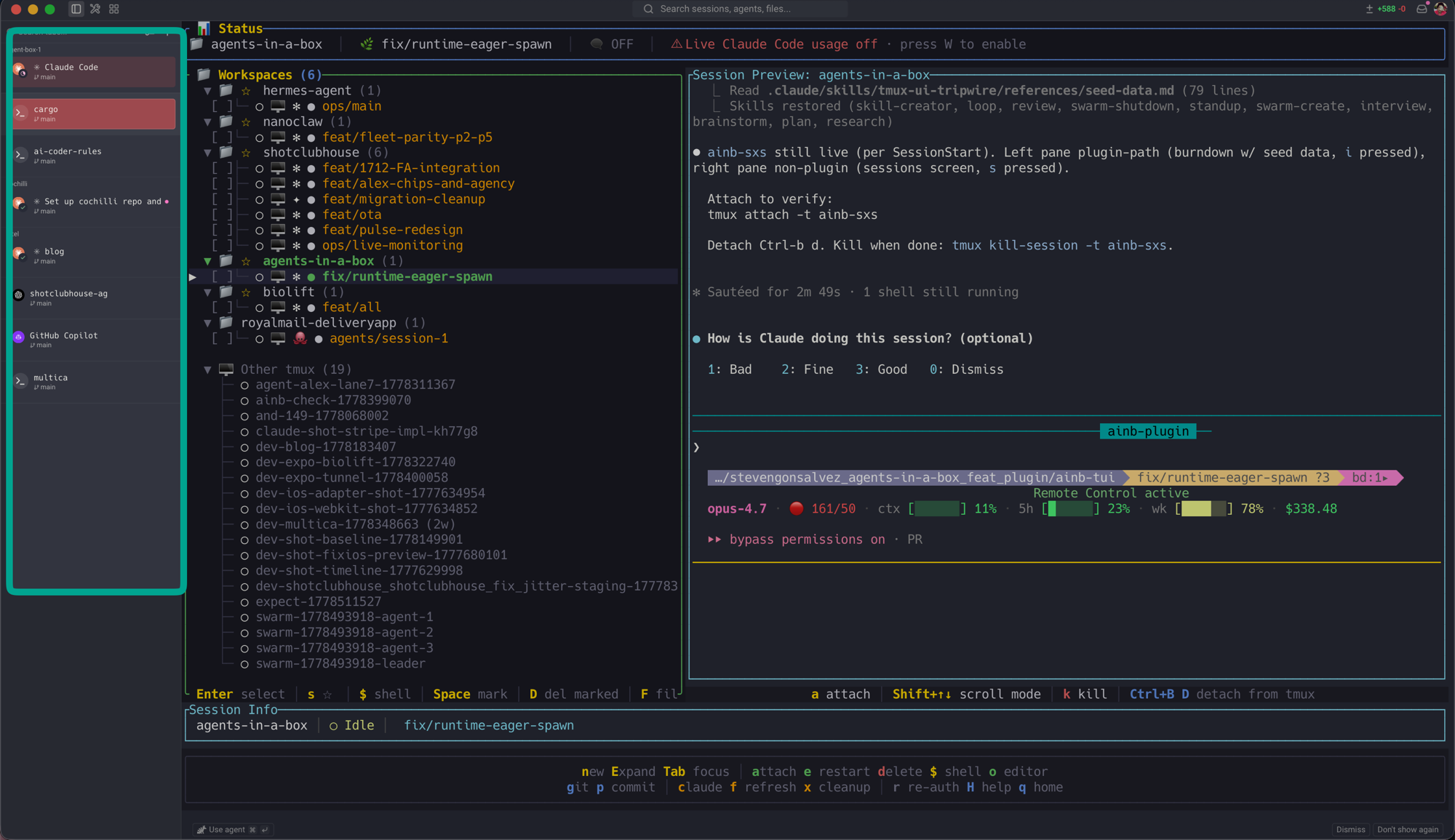
Look at the icons. Claude Code on the top tab. Codex underneath, GitHub Copilot on the third tab below, all detected automatically without me touching any config. The terminal genuinely knows what's running inside each tab and surfaces it accordingly.
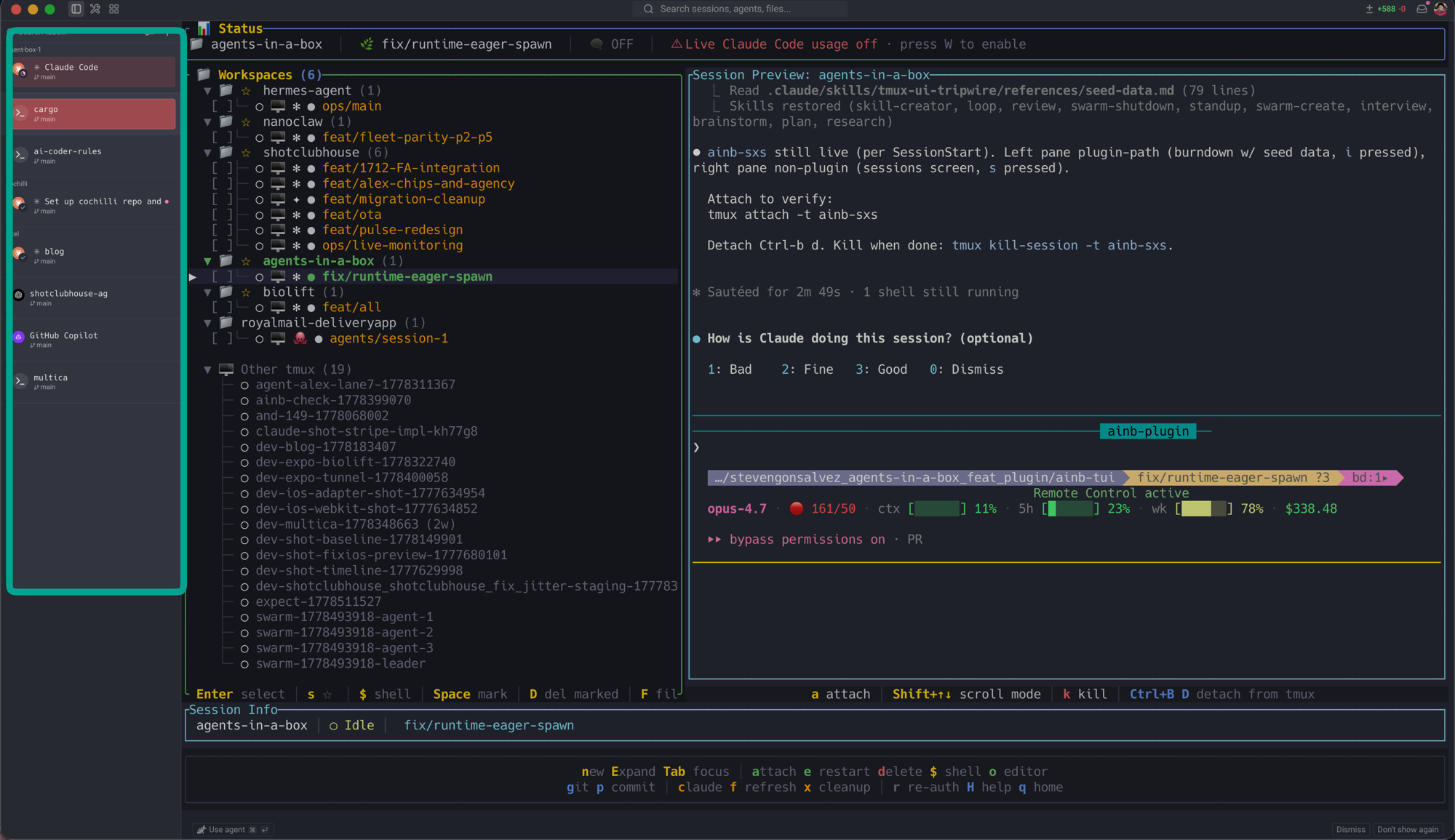
You can configure the tab view to show directory or last prompt or a multi-line rich block with proper metadata. The result is the best attempt at vertical tabs I've ever seen in any terminal. I'll probably nick the layout idea wholesale for agents-in-a-box, which is the TUI I've been building precisely because no terminal until now had taken vertical agent-aware tabs seriously.
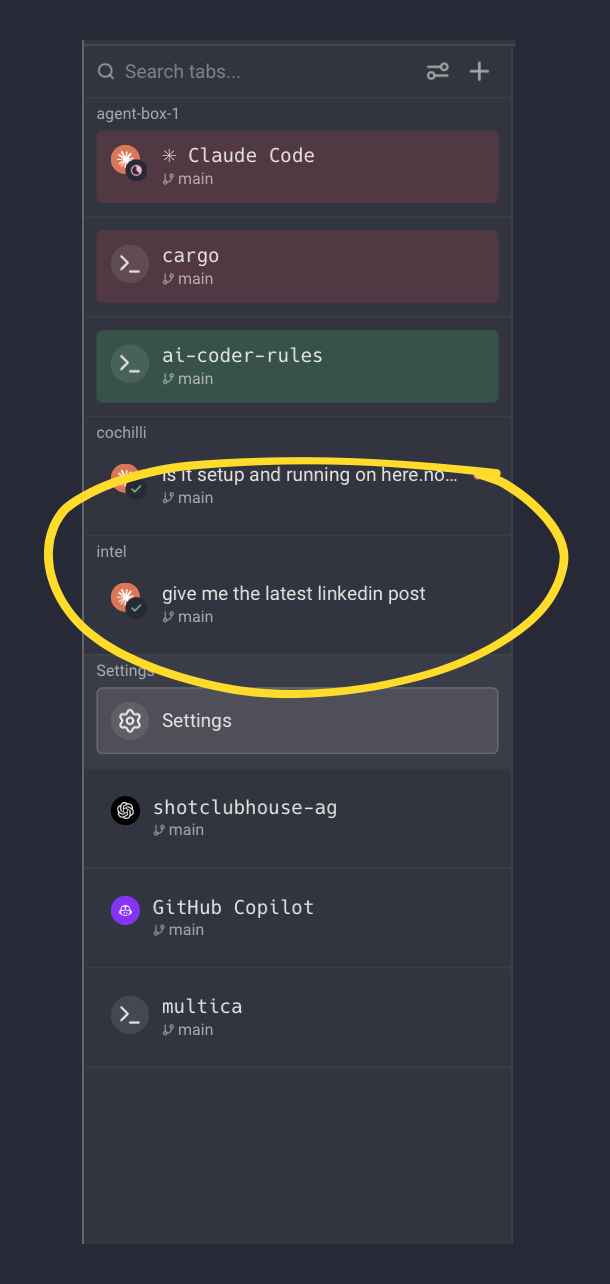
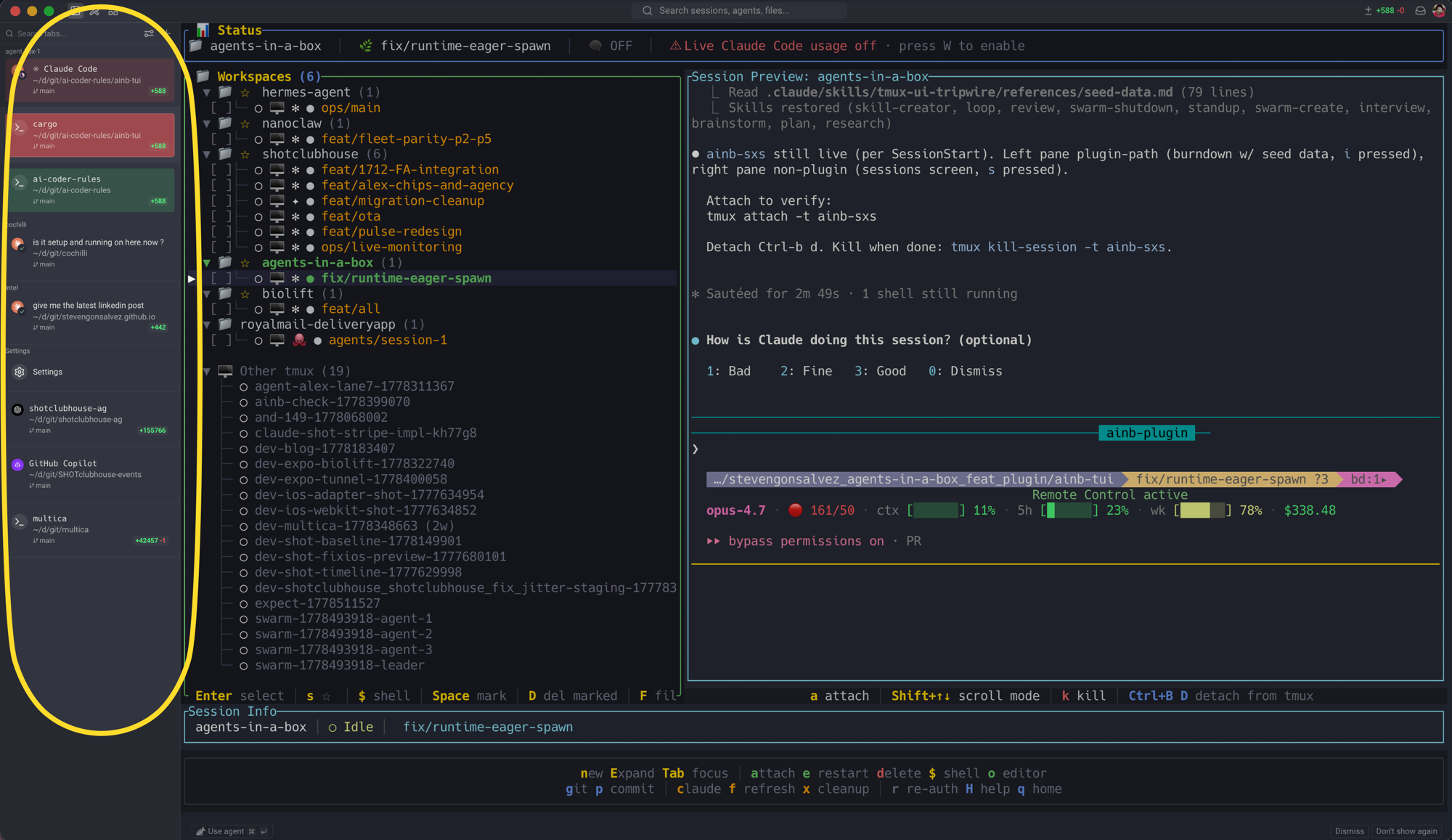
Each agent picks up a little status pill telling you whether it's in progress or waiting for input, so at a glance you can see which of your fifteen parallel sessions actually needs you right now. Then there's a tiny widget that pops an inline code review window for whatever the agent just produced, like a baby IDE living inside your terminal, where you can diff and accept without ever leaving the prompt.
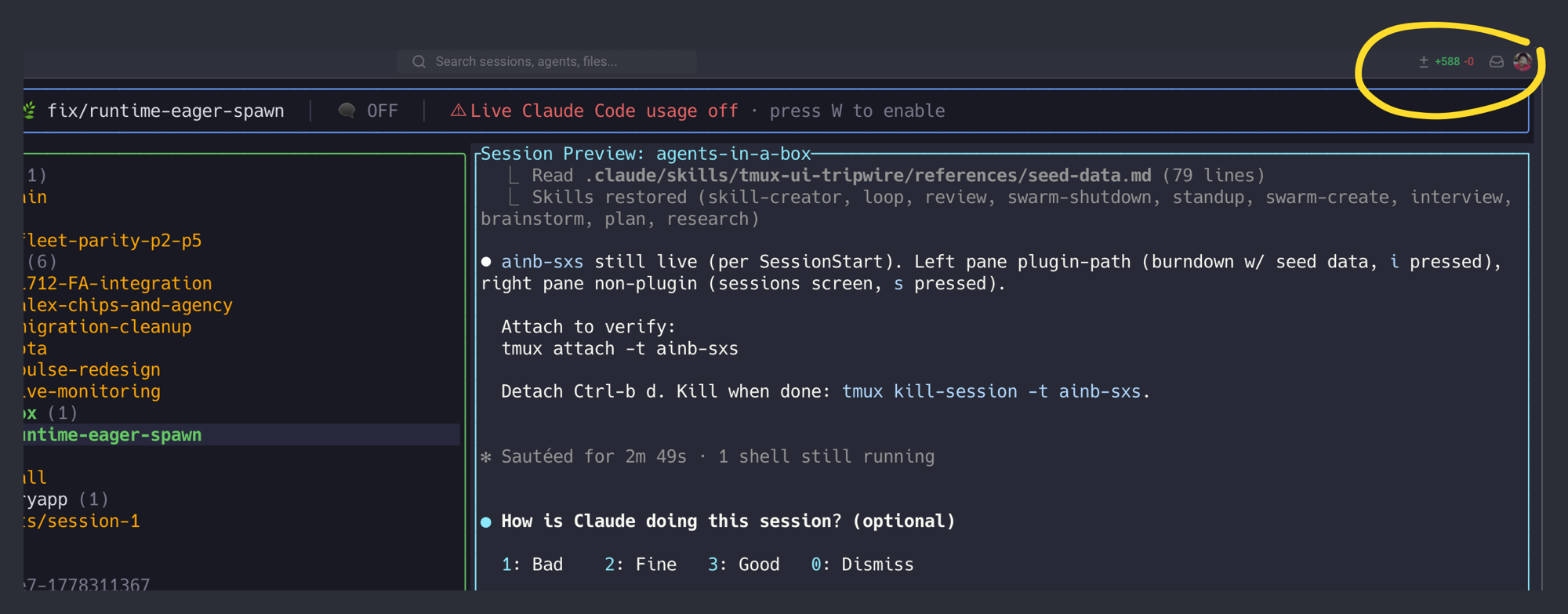
But the one that genuinely got me, that made me sit forward and refresh my dock to make sure I was looking at the right app, is the unified notification inbox.
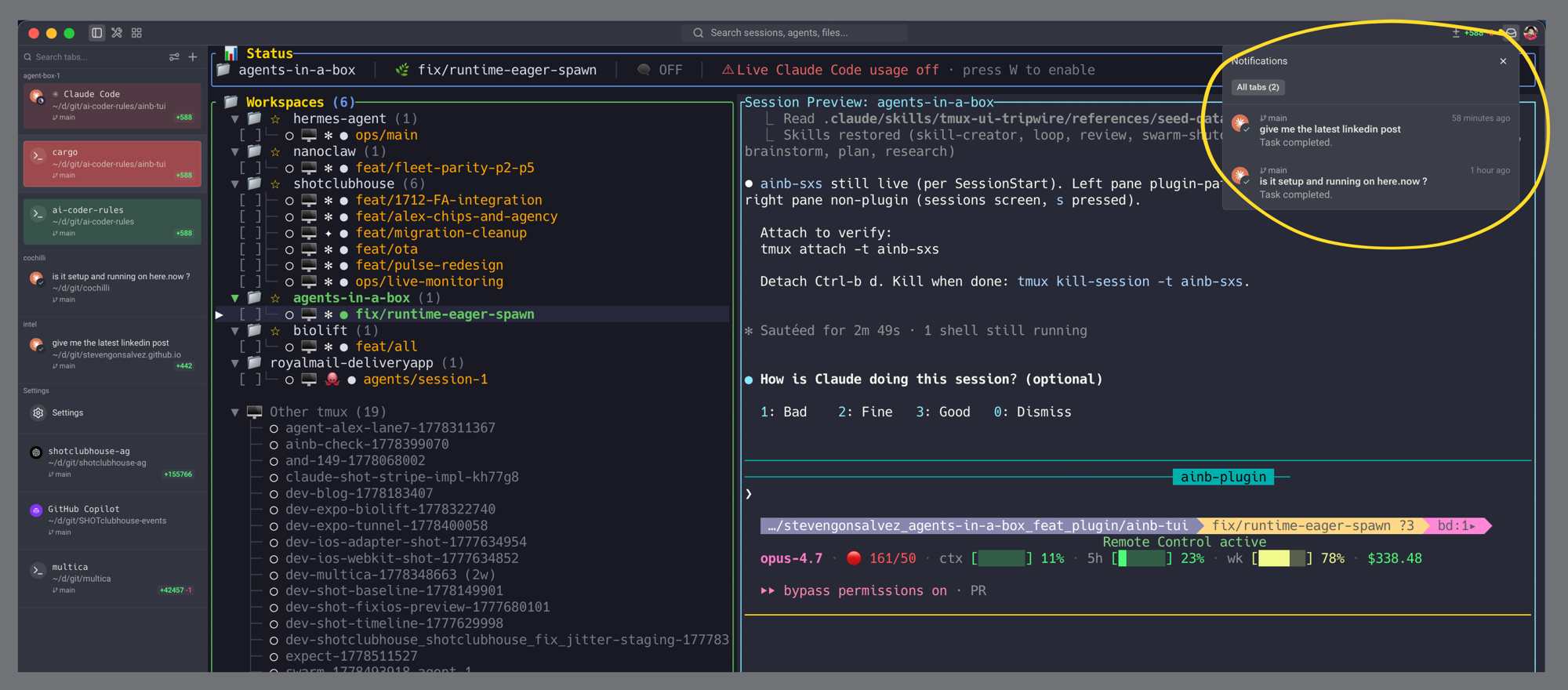
It pulls events from every agent running in the workspace into one native surface. Codex needs input on one tab, Claude is awaiting permission on another, Copilot has finished a task in the third. Across vendors. In one terminal. It rhymes with what Clawdbot's Chrome relay does for the browser side, agents finally getting first-class access to the surfaces you actually work in instead of headless silos. Why, after two years of every dev I know having seventeen agent windows scattered across three monitors, has nobody else done this? I genuinely can't answer that. It should've been obvious to literally everyone the moment agentic coding tools went mainstream, and somehow it's taken Warp's open-source moment to make it happen.
Feels like: finally getting a single dashboard for fifteen agents you'd otherwise be tabbing through one by one, wondering which one is the muppet that needs your attention.
What I'm going to build into it next
Like I said about blocks at the top, the pattern that makes Warp special is treating things you used to grep for as first-class addressable objects. The new vertical tabs do the same trick for agents. There are still bits I want, though, and now that the source is open I can actually build them.
Tab colours that key off folder hierarchy, for one. How many times has any of us clicked into the wrong tab because the labels were just close enough to confuse a tired eye? Same folder, same colour, so my fleet of shotclubhouse worktrees all glow the same shade of teal and my dotfiles work all glows orange and I never again click into the wrong window because the labels are too similar. iTerm makes this easy with a tab_color() function loaded in zsh, backed by a tiny .tabcolour.sh script, and I'm certain there's a working version of this buried somewhere in my dotfiles. Now that Warp is open source, this could be a proper first-class feature, not a shell-side hack.
TTS announcements, for another. When you've got fifteen, twenty agent sessions running across worktrees, the notification inbox is great but a quick spoken cue ("codex is waiting on you in the cargo workspace") would be the actual killer feature, because the inbox still requires you to look at the screen, and the screen is exactly the surface you're trying to free up. Cheap to prototype, now that I can clone the repo.
So that's where I've landed. If you binned Warp during the sign-in chapter, or wrote it off as another LLM wrapper, the conversation is genuinely different now. Give it a fresh go. And in twelve months, when every other terminal has copied the agent-aware tab strip and the unified notification inbox, you'll get to be quietly smug about being on it first.