agents-in-a-box: My Toolkit for Context Engineering Across Every AI Coding Agent
agents-in-a-box is a Rust TUI with 71 skills, 37 agents, and a knowledge system that deploys to Claude Code, Codex, Copilot, Gemini CLI, Cursor, and 5 more platforms. Context engineering as a portable artifact.
Why I Built This
Right, so this is my own thing, and I should be upfront about that. I'm going to tell you what it does, why it exists, and where it falls short. No cheerleading.
The problem I kept hitting: every AI coding agent (Claude Code, Codex, Gemini CLI, Cursor, etc.) has its own configuration format, its own conventions for where skills and agents live, and its own way of loading context. If you build a nice set of workflows for Claude Code, none of it works in Codex. If you write agents for Cursor, they don't transfer to Gemini CLI. Every tool is a silo.
I wanted one toolkit that deploys everywhere. Write a skill once, use it in nine different AI coding platforms. Build an agent definition once, have it work whether you're in Claude Code this week or Codex next week. Keep your knowledge base regardless of which tool you're running.
That's agents-in-a-box.
The Three Layers
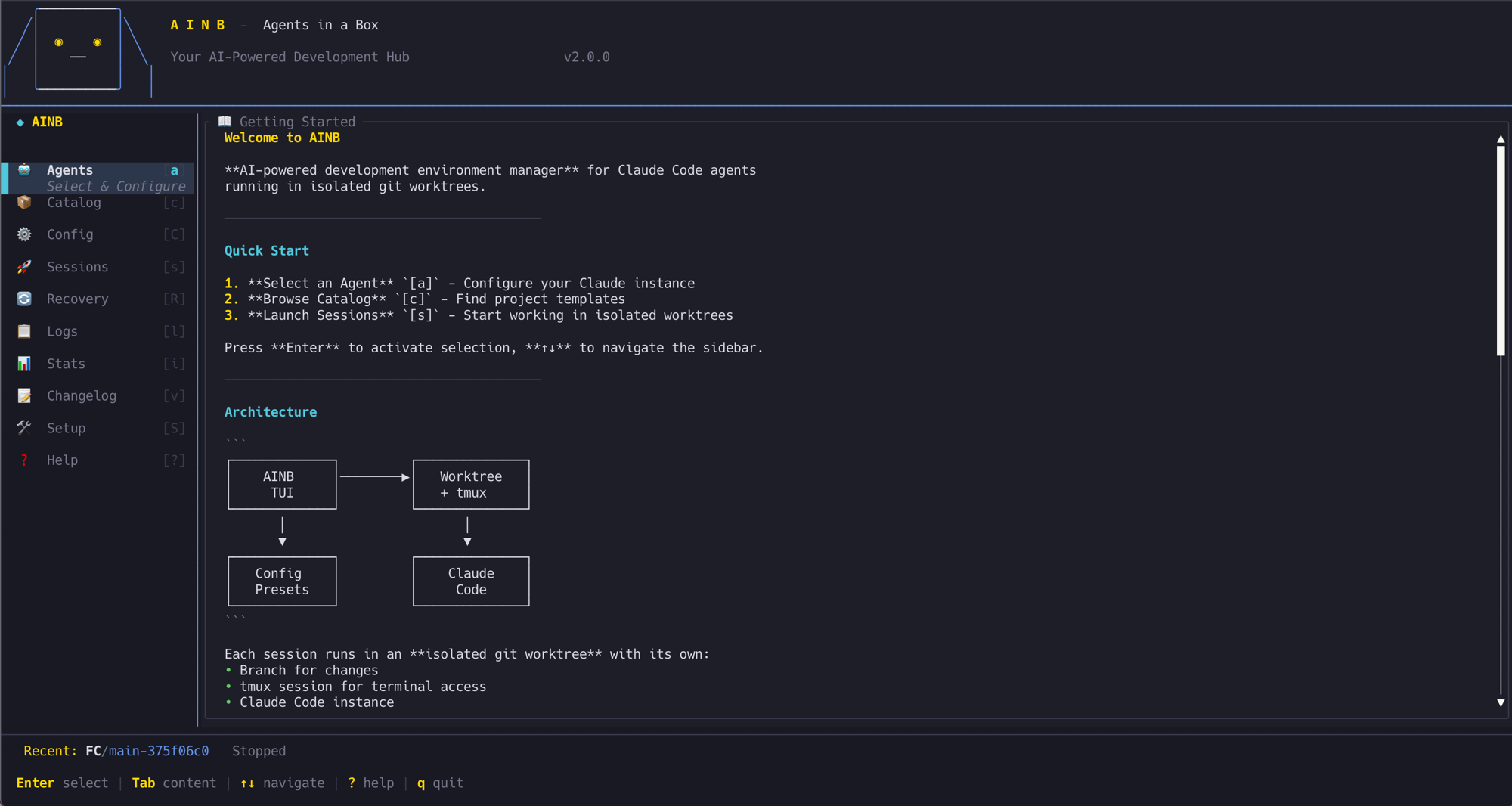
ainb TUI. A Rust terminal application (115 modules) that manages Claude Code sessions with git worktree isolation. Each session gets its own worktree, its own branch, its own workspace. The TUI streams live logs with filtering, supports model selection (Sonnet, Opus, Haiku) per session, and uses Vim-style keyboard navigation. Install it with brew tap stevengonsalvez/ainb && brew install ainb.
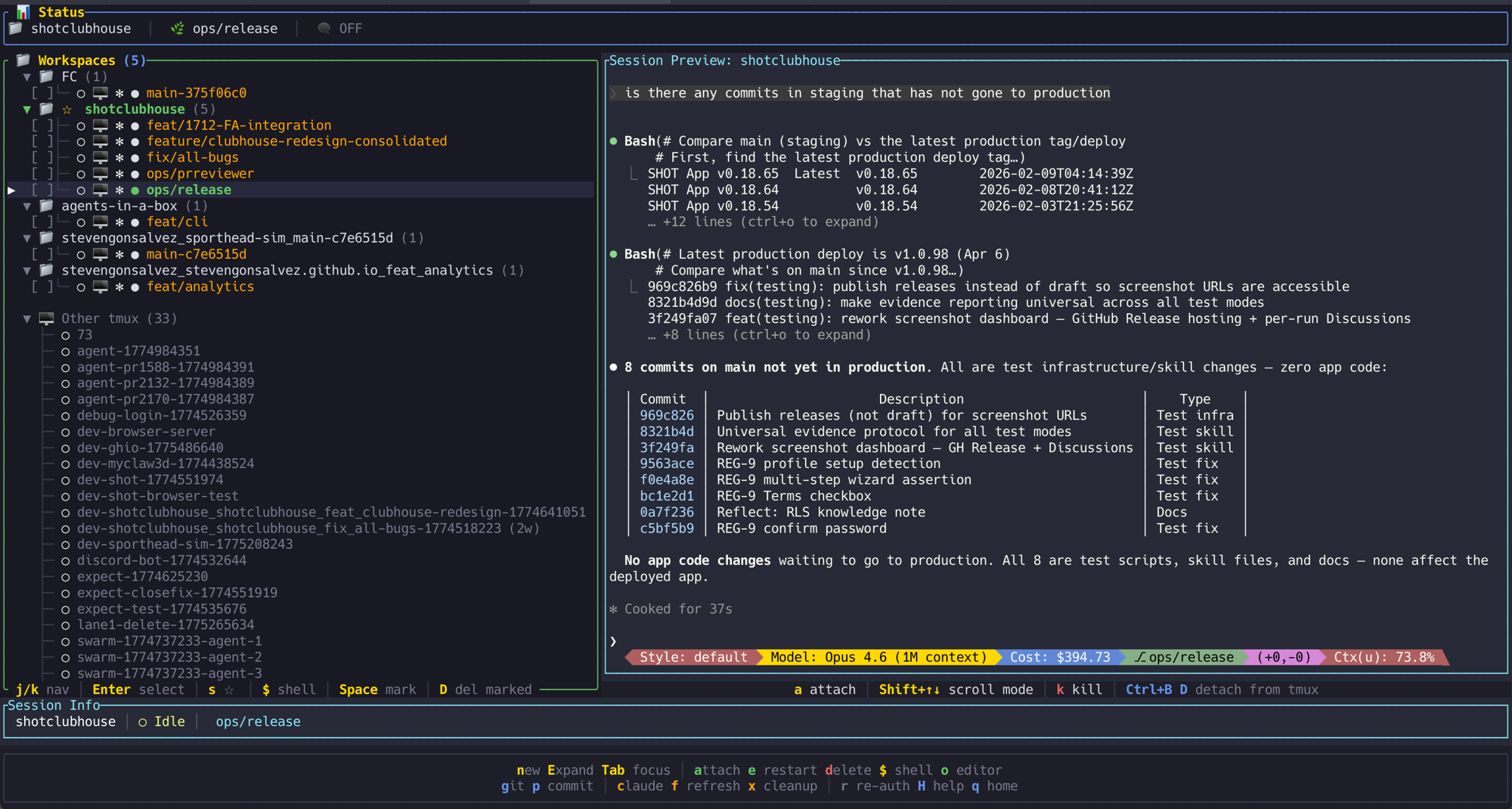
The TUI is the daily driver. Pretty much my one tab in Ghostty on visor mode, sometimes split screen, and that's my entire working environment now. Spin up a session, pick a model, watch it work, review and merge when it's done. Directly inspired by Claude Squad, which was one of the first tools that made parallel agent sessions feel natural. I used Claude Squad for months before building this, and the core idea of tmux-backed sessions with live preview carries through. The difference is tighter integration into the toolkit's skill and agent system, and it runs across Claude Code, Codex, and other agents rather than being Claude-specific.
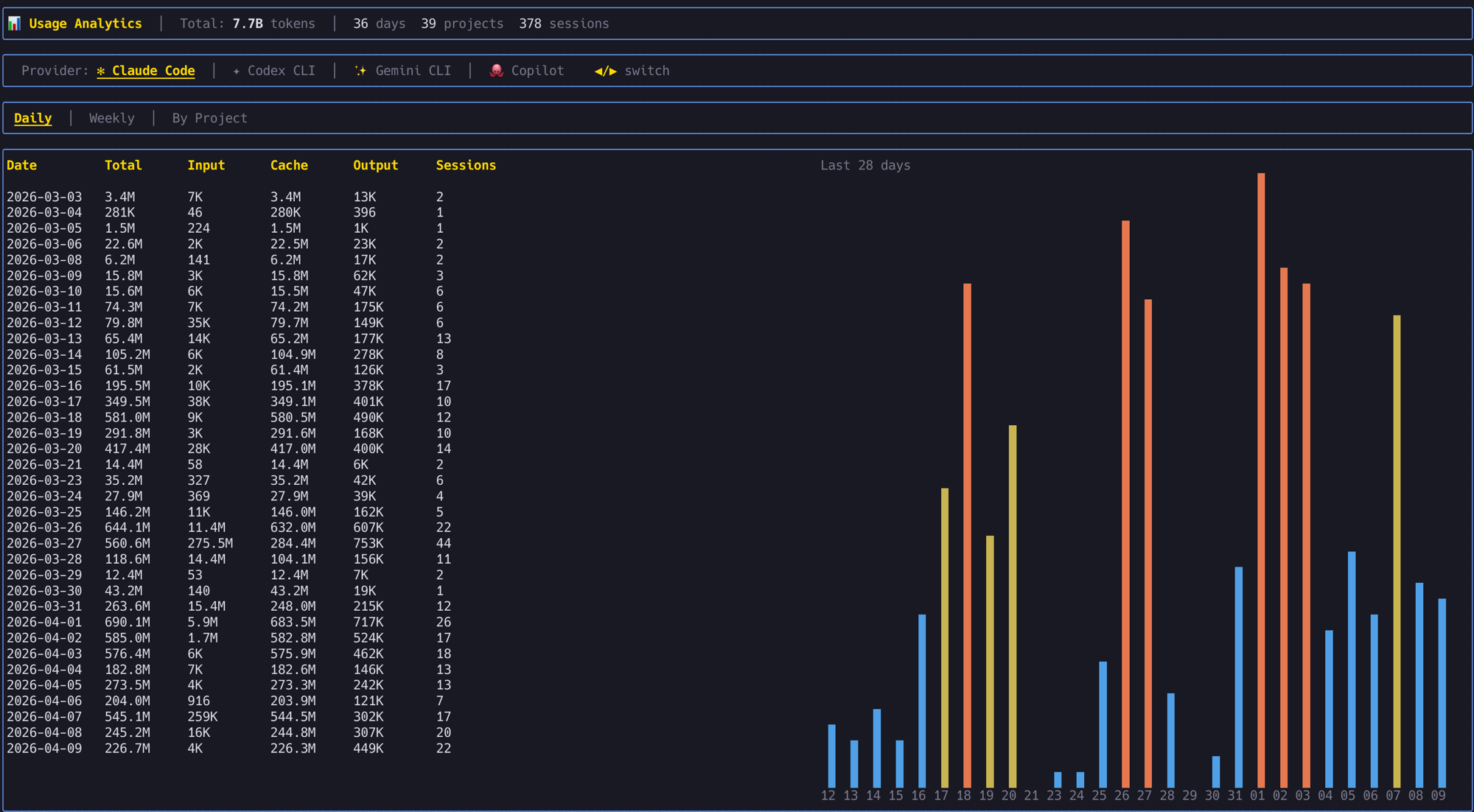
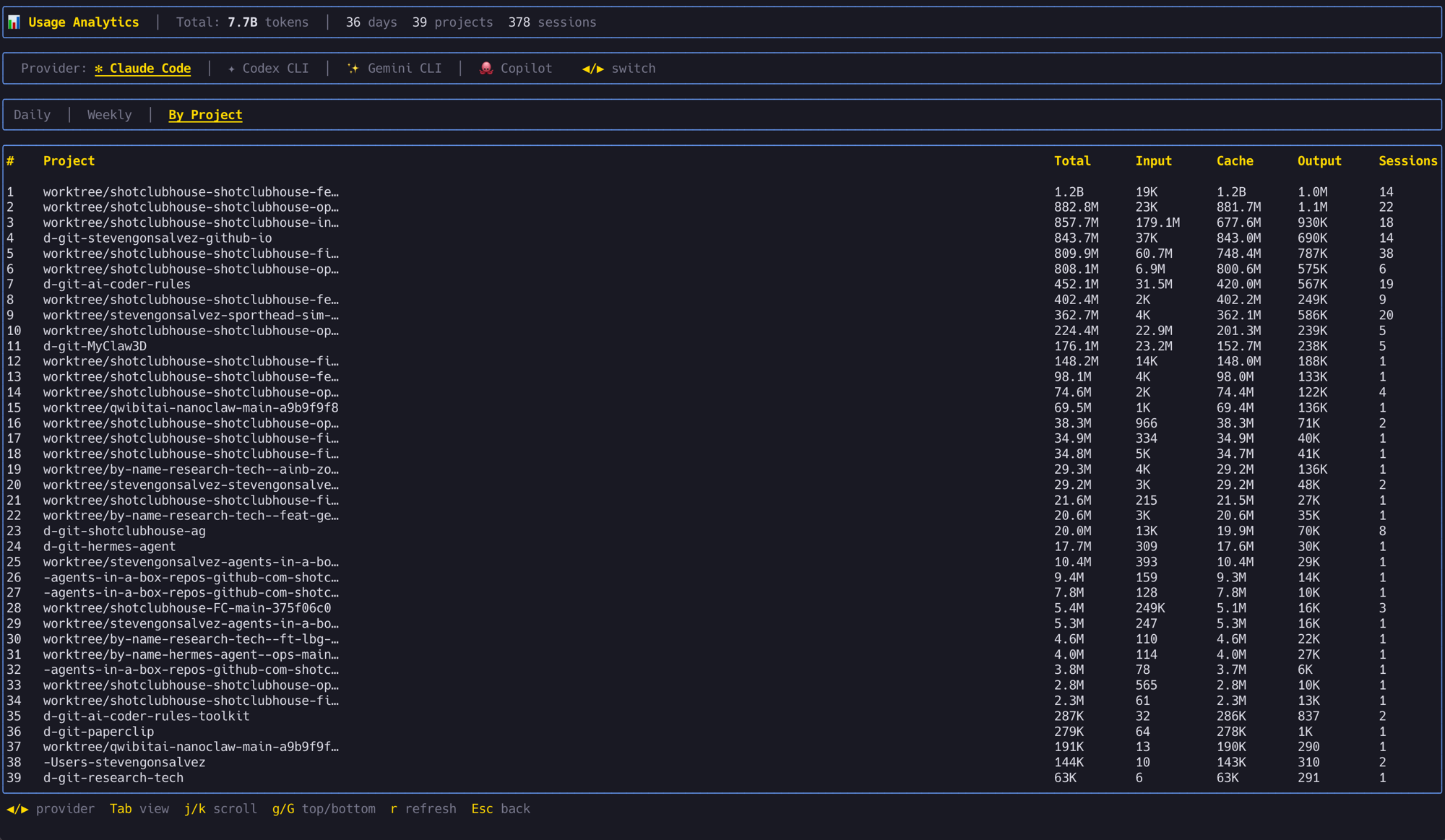
It also tracks usage across all providers. 7.7 billion tokens across 378 sessions in the last 36 days, broken down by day, week, or project. Proper useful for knowing where the tokens are going and which projects are burning the most.
Toolkit. 71 skills across nine categories: workflow/planning, code quality/testing, DevOps/infrastructure, knowledge/learning, session management, swarm orchestration, GitHub/issues, design/frontend, research/analysis. These are the /plan, /commit, /research, /handover, /reflect commands and everything in between.
Each skill is a Markdown file with YAML frontmatter, following the same progressive loading pattern that Anthropic's skill system uses: metadata always loaded (cheap), instructions loaded on demand (moderate), resources loaded when referenced (heavier). This keeps context cost low when you've got dozens of skills registered.
37 agents organised into universal (general-purpose developers), orchestrators (team coordination), engineering (21 domain specialists), design, swarm, and meta categories. The api-architect, code-reviewer, security-agent, devops-automator, performance-optimizer... these are defined as Markdown files with persona, tools, and domain focus.
Knowledge system. Two-tier retrieval: QMD (Quick Markdown Documents) for semantic search over learning notes, and GraphRAG (nano-graphrag) for entity-relationship graph analysis. The /reflect skill captures learnings during a session. The /research and /prime skills retrieve them at the start of the next one. So when you solve a tricky problem in session 47, session 48 can recall the solution without you remembering to mention it.
The Multi-Platform Trick
This is the part I'm most chuffed about. A single source tree deploys to nine AI coding platforms:
Claude Code, Codex, GitHub Copilot, Gemini CLI, Amazon Q, Cursor, Cline, Roo, Clawdhub.
Each platform has its own config format and conventions, but the skills and agents are written in a portable format that gets deployed to the right location for each tool. The CLAUDE.md for Claude Code, the equivalent config for Codex, and so on.
Why does this matter? Because the AI coding tool landscape changes every few months. Last year Claude Code was the clear winner. This year Codex got competitive. Next year it might be something else. If your entire workflow is locked into one tool's config format, switching means rebuilding everything from scratch. With agents-in-a-box, switching means running a different deploy target.
| 📚 Geek Corner |
|---|
| Context engineering vs "just talk to it." Peter Steinberger wrote a brilliant post called "Just Talk To It" (October 2025) arguing that all this agent framework stuff is overengineering. His approach: short prompts, parallel terminal windows, no elaborate configs. He's maintaining 300k lines of TypeScript with AI agents and zero framework overhead. And he's right, for his workflow. The irony is that agents-in-a-box is precisely the kind of system he dismisses as "charade." But both approaches produce 100% agent-written output. The difference is philosophy, not outcome. Steinberger's approach optimises for simplicity and direct model interaction. agents-in-a-box optimises for portability, knowledge persistence, and team-scale coordination. If you're one developer with one codebase and one preferred tool, his way is probably better. If you're switching tools, working across projects, or running multi-agent swarms, the scaffolding pays for itself. There's no single right answer. There's your answer. |
What It Doesn't Do
It doesn't run on Windows natively (the Rust TUI is macOS/Linux). It doesn't have a web UI. The knowledge system requires local storage and doesn't sync across machines without manual effort. The star count is modest (8 stars, 4 forks) because I built it for my own use and haven't done much promotion. It's not polished to the level of a product with a marketing team behind it.
The multi-platform deployment works but requires testing on each target when skills change. I primarily develop against Claude Code, so that's where things work best. The other platform targets get varying levels of attention depending on what I'm using that week.
Getting Started
brew tap stevengonsalvez/ainb && brew install ainb
Or clone the repo and explore the toolkit structure. The skills and agents are all Markdown files, so you can read them, steal ideas, or use the whole thing as-is. MIT licensed, take what you need.